Why pg_upgrade Still Beats the Alternatives
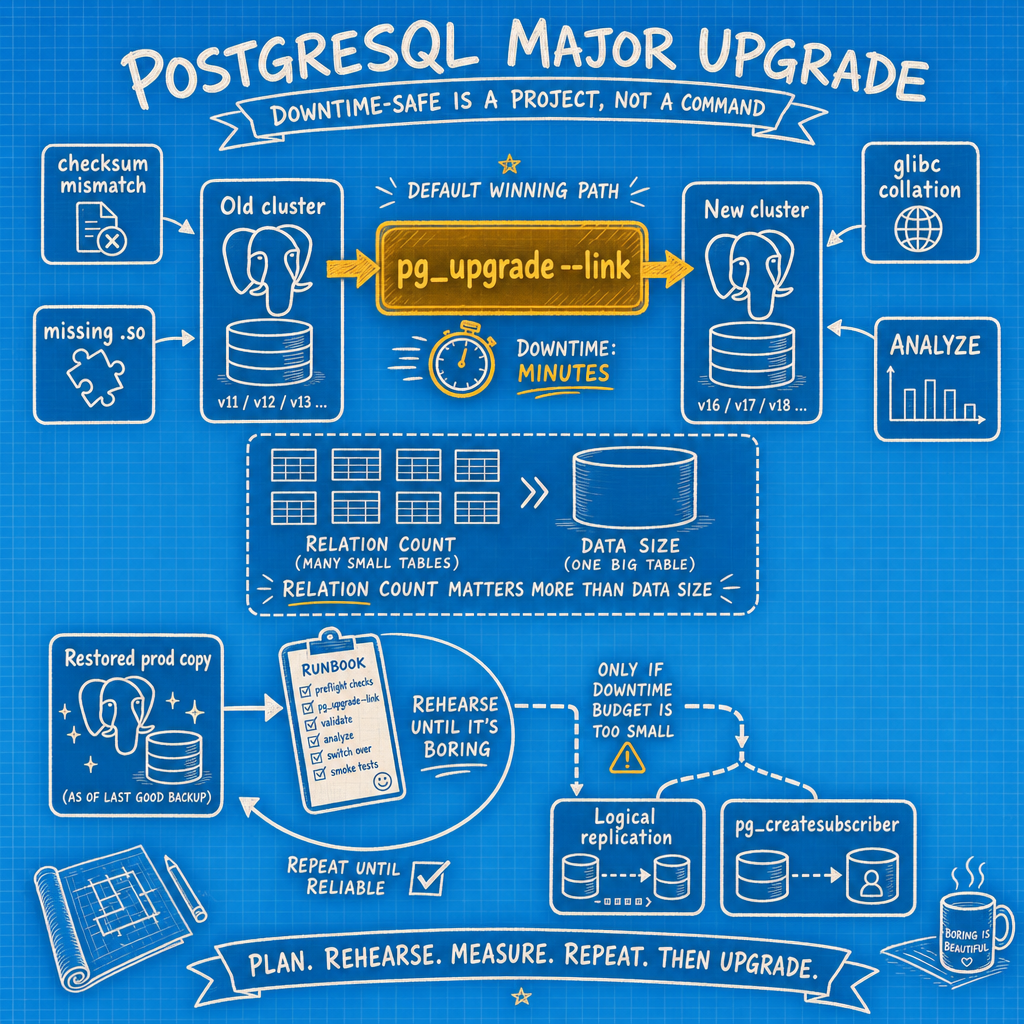
pg_upgrade is the fastest path through a PostgreSQL major version upgrade, and with --link mode it's usually a matter of minutes, not hours, because the data files are hard-linked instead of copied. The tool itself is not the risk. The risk is everything you didn't check before you ran it.
Logical replication and pg_createsubscriber are worth it when the write-cutoff problem is real — the moment new writes land on the new cluster, going backward means losing them, and a hard-link upgrade offers no undo. If your business tolerates a maintenance window, pg_upgrade is simpler and faster. If it doesn't, build a logical replica ahead of time and cut over instead of upgrading in place.
Below is the checklist that turns upgrade night into a non-event, organized by how many days out you are.
T-14: Audit Before You Touch Anything
- Count relations in every database and sum them. This number, more than data size, drives how long the catalog phase takes.
- Extension audit: diff
pg_extensionon the old cluster againstpg_available_extensionson the new one. Install any missing OS packages now, not during the window. - Confirm
shared_preload_librariesentries have equivalents built for the new major version. - Run the
reg*type blocker query (columns usingregproc,regclass, etc. in user tables) in every database and fix offenders —pg_upgrade --checkwill catch these, but fixing them at T-14 is cheaper than at T-0. - Compare
data_checksumsbetween old and new clusters. If they differ, planpg_checksums --enableas its own separate maintenance window. - Read every "Migration to Version X" section in the release notes between your current version and the target.
- Confirm the old data directory, new data directory, and all tablespaces sit on the same filesystem —
--linkmode requires it. - Inventory replication slots, logical subscriptions, and standbys. Confirm slots have actually consumed the WAL available, or the upgrade will stall on cleanup.
T-7: Rehearse It for Real
- Restore a production backup onto a rehearsal host that matches prod in size, OS, and filesystem. Anything less and your timing numbers are fiction.
- Run the full upgrade there and time each phase separately:
pg_upgrade --check, the actual upgrade, andvacuumdb --analyze-in-stages. - Port configs from prod to the rehearsal host and diff them line by line — this is where a forgotten
postgresql.confsetting usually surfaces. - Take the measured window and double it for your actual change ticket.
- Verify a restore of your backup works. Not "should work" — actually restore it.
T-1: Lock It Down
- Run
pg_upgrade --checkagainst production and get a clean result. - Freeze DDL and schema migrations until the upgrade completes.
- Confirm the standby rebuild plan and its time estimate.
- Stage monitoring, backup, and WAL archive config changes so they're one command away, not written from scratch at 2am.
T-0: The Upgrade Window
- Pause the connection pool and drain in-flight work.
- Confirm
pg_prepared_xactsis empty. - Stop any consumer holding a replication slot.
- Take a fresh backup and verify it.
- Cleanly shut down the old cluster and check the log for errors.
- Confirm standbys are caught up.
- Run a final
pg_upgrade --check. - Run
pg_upgrade. - Port
postgresql.conf,postgresql.auto.conf, andpg_hba.conf. - Start the new cluster on a non-default port and smoke test it.
- Named rollback point. Past this line, rollback means restoring from backup — not reversing the upgrade.
- Move the new cluster to the production port and unpause the pool.
- Start
vacuumdb --all --analyze-in-stagesimmediately (add--missing-stats-onlyon PostgreSQL 18+) so the planner isn't running blind at 9am Monday.
T+1: Cleanup and Verification
- Run
ALTER EXTENSION ... UPDATEin every database. - Check
pg_database.datcollversionfor mismatches, andREINDEXany collated indexes if the OS collation library moved. - Run
pg_amcheckif collation versions changed. - Rebuild or rsync standbys and verify replication is flowing.
- Confirm backups are running against the new cluster, not a stale target.
- Watch
pg_stat_statementsfor plan regressions for at least a week. - Only then run
delete_old_cluster.sh.
What Actually Breaks Upgrades
The catalog phase itself is predictable once you've measured it in rehearsal. What causes the 3am pages is smaller than that: a missing .so file, a checksum flag mismatch nobody caught, a config file that didn't get copied over, or a planner running with no statistics right when Monday traffic hits. Catch those in the rehearsal run, and the actual pg_upgrade night becomes a fifteen-minute non-event — which is the whole point.
If you'd rather have someone else own the rehearsal, the checklist, and the 2am pager, that's the kind of work MyDBA handles for teams who'd prefer not to build this playbook from scratch.