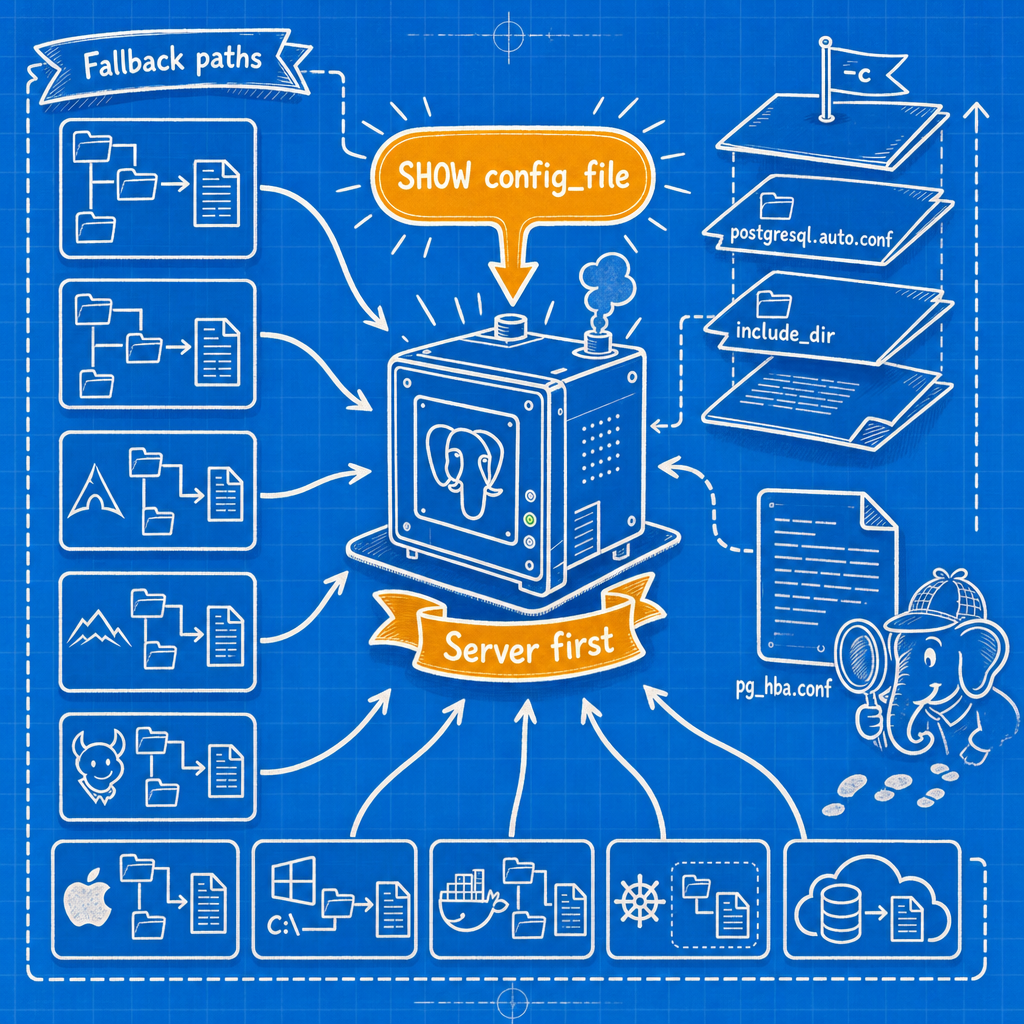
Where Is postgresql.conf?
Connect with psql and run SHOW config_file;. That prints the absolute path of the postgresql.conf the server is actually using. SHOW hba_file; gives you pg_hba.conf, SHOW ident_file; gives you pg_ident.conf, and SHOW data_directory; gives you PGDATA. No path table beats this, because it answers for the cluster you're connected to rather than the cluster you assume you're connected to.
One query for all four:
SELECT name, setting
FROM pg_settings
WHERE name IN ('config_file','hba_file','ident_file','data_directory');
      name      |                setting
----------------+----------------------------------------
 config_file    | /etc/postgresql/16/main/postgresql.conf
 data_directory | /var/lib/postgresql/16/main
 hba_file       | /etc/postgresql/16/main/pg_hba.conf
 ident_file     | /etc/postgresql/16/main/pg_ident.conf
Memorising paths is a losing game. The server knows. The rest of this page is for the case where the server is down, or where you need to know what a platform will do before you install it.
Two layouts, and why distros disagree
Everything below follows from one split.
Upstream layout. initdb writes postgresql.conf, pg_hba.conf and pg_ident.conf into the data directory. Build from source, install the RHEL-family packages, or run the Docker image, and your config sits inside PGDATA.
Debian layout. postgresql-common moves configuration to /etc/postgresql/<version>/<cluster>/ and leaves the data under /var/lib/postgresql/<version>/<cluster>/. The link between them is the data_directory parameter, set inside postgresql.conf.
Once you know which layout a machine uses, the path is predictable. Once you know a machine can host both (PGDG packages on a Debian box, a Homebrew install next to Postgres.app), you stop trusting the path and go back to SHOW config_file.
Debian and Ubuntu, including PGDG packages
/etc/postgresql/16/main/postgresql.conf
/etc/postgresql/16/main/pg_hba.conf
/etc/postgresql/16/main/pg_ident.conf
/etc/postgresql/16/main/conf.d/
/var/lib/postgresql/16/main/          <- data
main is the default cluster name created by pg_createcluster. A second cluster on the same major version gets its own directory pair.
The trap: there is no postgresql.conf in /var/lib/postgresql/16/main. People who have used RHEL for years go looking in PGDATA, find postgresql.auto.conf and nothing else, create a postgresql.conf there by hand, restart, and observe that nothing changed. The server was told at startup where its config lives, and it was not there.
Use the packaging tools rather than paths:
$ pg_lsclusters
Ver Cluster Port Status Owner    Data directory              Log file
14  main    5433 online postgres /var/lib/postgresql/14/main /var/log/postgresql/postgresql-14-main.log
16  main    5432 online postgres /var/lib/postgresql/16/main /var/log/postgresql/postgresql-16-main.log
$ pg_conftool 16 main show shared_buffers
shared_buffers = 4GB
$ sudo pg_conftool 16 main set work_mem 32MB
Lifecycle goes through pg_ctlcluster 16 main reload or systemctl reload postgresql@16-main. The plain postgresql unit is a wrapper that fans out to every cluster, which is fine for a single-cluster box and misleading everywhere else.
RHEL, Rocky, AlmaLinux, Fedora
Two packaging families, two layouts.
- Distro
postgresql-server:/var/lib/pgsql/data, unitpostgresql.service. - PGDG RPMs:
/var/lib/pgsql/<version>/data, binaries in/usr/pgsql-<version>/bin, unitpostgresql-<version>.service.
The config files live inside those data directories. To find out what a unit was told:
$ systemctl cat postgresql-16
# /usr/lib/systemd/system/postgresql-16.service
[Service]
Environment=PGDATA=/var/lib/pgsql/16/data
ExecStart=/usr/pgsql-16/bin/postmaster -D ${PGDATA}

$ systemctl show -p Environment postgresql-16
Environment=PGDATA=/var/lib/pgsql/16/data
Relocating the data directory means systemctl edit postgresql-16 with a drop-in that overrides Environment=PGDATA=, not editing the vendor unit file (package updates will replace it). If SELinux is enforcing, a relocated directory also needs the right labels (restorecon -Rv on the new path); otherwise the server fails to start with permission errors that look nothing like a labelling problem.
Arch, Alpine, Gentoo, FreeBSD
- Arch:
/var/lib/postgres/data. The postgres user's home is/var/lib/postgres, noql. This eats five minutes of everyone's life exactly once. - Alpine: config in PGDATA, OpenRC service settings in
/etc/conf.d/postgresql, which is wheredata_diris defined for the init script. - Gentoo: generally tracks the upstream default (config inside PGDATA) unless the ebuild patches it; slotted per major version, so check the init script for the data directory actually in use.
- FreeBSD: ports default to
/var/db/postgres/data<major>, for example/var/db/postgres/data16, with knobs in/etc/rc.conf(postgresql_data,postgresql_enable).
Verify all of these with SHOW config_file before you edit anything.
macOS: Homebrew, Postgres.app, EDB
- Homebrew: data under
HOMEBREW_PREFIX/var/postgresql@<version>, so/opt/homebrew/var/postgresql@17on Apple Silicon and/usr/local/var/postgresql@17on Intel. postgresql.conf is inside.brew info postgresql@17andbrew services listtell you what is installed and what is running. - Postgres.app:
~/Library/Application Support/Postgres/var-17. - EDB installer:
/Library/PostgreSQL/17/data.
Developer laptops routinely have all three, plus a Docker container, plus a postgres from an old Xcode-era install. Your psql resolves through PATH and connects to whatever is listening on $PGHOST:$PGPORT, which need not be the instance you were editing. Run SHOW config_file and SHOW server_version together and stop guessing.
Windows
The EDB installer defaults to C:\Program Files\PostgreSQL\17\data\postgresql.conf, but defaults get overridden during install. To find the real path, read the service definition:
C:\> sc qc postgresql-x64-17
        BINARY_PATH_NAME   : "C:\Program Files\PostgreSQL\17\bin\pg_ctl.exe" runservice
                             -N "postgresql-x64-17" -D "C:\Program Files\PostgreSQL\17\data" -w
Or in PowerShell:
Get-CimInstance Win32_Service -Filter "Name LIKE 'postgresql%'" |
  Select-Object Name, PathName, StartName
The -D argument is authoritative. Editing under C:\Program Files needs an elevated editor; a non-elevated Notepad will silently offer to save elsewhere and you will edit a copy in your user profile. Apply with pg_ctl reload -D "C:\Program Files\PostgreSQL\17\data" or restart the service.
Docker and Docker Compose
The official image keeps config inside PGDATA. Ask the container:
$ docker exec -it pg psql -U postgres -c 'SHOW config_file'
              config_file
---------------------------------------
 /var/lib/postgresql/data/postgresql.conf
PGDATA historically defaulted to /var/lib/postgresql/data, and the PostgreSQL 18 images changed the default layout. That change is the argument against hardcoding container paths in your runbooks: the path rotted, the query did not.
To supply your own file, bind-mount it and override the command. Arguments after the image name go to the postgres server process:
services:
  db:
    image: postgres:17
    volumes:
      - ./postgresql.conf:/etc/postgresql/postgresql.conf:ro
      - pgdata:/var/lib/postgresql/data
    command: ["postgres", "-c", "config_file=/etc/postgresql/postgresql.conf"]
Two consequences. First, anything in command: is a server command-line parameter and beats the file. Second, scripts in /docker-entrypoint-initdb.d run only on first initialisation of an empty data directory, so config changes made there do nothing on an existing volume.
Kubernetes operators
CloudNativePG generates postgresql.conf from the Cluster resource and reconciles it. Editing the file inside the pod works until the next reconcile, then it is reverted, usually while you are explaining to someone that the fix is applied. Zalando and Crunchy operators behave the same way through their own CRDs and ConfigMaps.
Read-only inspection is fine:
kubectl exec -it pg-cluster-1 -- psql -U postgres -c 'SHOW config_file'
Changes go in the custom resource, under spec.postgresql.parameters for CloudNativePG, and the operator handles the reload or the rolling restart for parameters that need one. The rendered file inside the pod is an artifact, not a source of truth.
Managed services
There is no file to edit. The mapping:
| Service | Config surface | pg_hba equivalent |
|---|---|---|
| RDS / Aurora | DB parameter groups; static parameters need a reboot | Security groups, rds.force_ssl |
| Cloud SQL | Database flags (console, gcloud, API) | Authorized networks, private IP |
| Azure Flexible Server | Server parameters | Firewall rules, VNet integration |
| Neon, Supabase | Project/dashboard settings | Platform network controls |
On RDS, SHOW config_file returns something under /rdsdbdata/config/. That path exists, and you cannot reach it. Treat the answer as trivia. Some parameters are simply not exposed at all, and no amount of searching the parameter group will change that. pg_hba.conf disappears entirely as a concept you edit: if you're used to adding a line to open up a subnet, the managed-service equivalent is a network ACL change, not a file edit.
When the server won't start
This is where path knowledge earns its keep.
Read the command line of a running instance:
$ pgrep -a postgres
1834 /usr/pgsql-16/bin/postgres -D /var/lib/pgsql/16/data
$ ps -eo pid,args | grep [p]ostgres
Ask the binary directly, which works against a stopped cluster:
$ /usr/pgsql-16/bin/postgres -D /var/lib/pgsql/16/data -C config_file
/var/lib/pgsql/16/data/postgresql.conf
-C parameter_name prints the value and exits, no running postmaster required, which makes it the single most useful trick for a server that's down.
Other angles, in order of effort:
systemctl cat <unit>andsystemctl show -p Environment <unit>for PGDATA.postmaster.pidin the data directory: line 1 is the postmaster PID, and later lines carry the data directory path and the port.- Last resort:
find / -name postgresql.conf -not -path '*/proc/*' 2>/dev/null. It will find backups, container overlay copies and a colleague's tarball from 2021, so read the output critically.
You found the file. Is it the one that wins?
Finding postgresql.conf and finding the setting that is in effect are different problems. Precedence, weakest first:
- postgresql.conf and its included files. Within that set, the last assignment read wins.
- postgresql.auto.conf, read after postgresql.conf, overriding it.
- Server command line (
postgres -c name=value, Docker'scommand:). ALTER DATABASE/ALTER ROLEsettings.SETin session, andPGOPTIONS.
Includes matter more than people expect. postgresql.conf supports include, include_if_exists and include_dir. Relative paths resolve against the directory containing the referencing file, not the data directory and not your current shell, and files in an include_dir are processed in C-locale filename order. Debian ships include_dir = 'conf.d' out of the box, so a two-line file in /etc/postgresql/16/main/conf.d/99-tuning.conf quietly overrides everything above it. That is by design, and it is exactly why 10- and 99- prefixes are worth using.
postgresql.auto.conf is the other classic. ALTER SYSTEM writes there, in the data directory, and it wins over the file you just edited. An unnoticed entry in postgresql.auto.conf is one of the most common causes of "I edited the config and nothing changed." Don't hand-edit it. Clear entries properly:
ALTER SYSTEM RESET shared_buffers;
ALTER SYSTEM RESET ALL;
PostgreSQL 17 added allow_alter_system; set it to off where configuration is owned by Ansible, an operator, or a Helm chart, and ALTER SYSTEM fails instead of creating drift.
To find where a value actually came from:
SELECT name, setting, source, sourcefile, sourceline
FROM pg_settings
WHERE name = 'work_mem';
   name  | setting |       source       |               sourcefile                | sourceline
---------+---------+--------------------+-----------------------------------------+------------
 work_mem| 32768   | configuration file | /etc/postgresql/16/main/conf.d/99-tune.conf |          3
Three more views worth knowing:
pg_file_settingslists every setting found in the config files, including entries that were overridden or contain errors, via itsappliedanderrorcolumns. Query it after editing and before reloading.pg_hba_file_rulesshows the parsed pg_hba.conf, so you can catch a broken rule without locking yourself out.pg_ident_file_mappings(PostgreSQL 15 and later) does the same for pg_ident.conf.
Applying changes: reload or restart
SELECT pg_reload_conf();
Equivalently pg_ctl reload -D <datadir>, systemctl reload <unit>, or SIGHUP to the postmaster.
Whether that is enough depends on pg_settings.context. Values are internal, postmaster, sighup, superuser-backend, backend, superuser and user. Anything marked postmaster (shared_buffers, max_connections, wal_level) needs a full restart, no exceptions. After a reload, check what is still waiting:
SELECT name, setting, pending_restart
FROM pg_settings
WHERE pending_restart;
If that returns rows, your change is in the file and not in the server: reloaded, but still running the old value until you restart.
The wrong-cluster war story
An incident call, high connection counts, max_connections needs raising. The engineer edits /etc/postgresql/14/main/postgresql.conf, restarts, watches nothing change, and repeats twice before someone runs pg_lsclusters. Version 14 was listening on 5433. Version 16 had been promoted to 5432 during an upgrade six weeks earlier, and the application was talking to 16 the whole time. Forty minutes gone.
Two commands would have prevented it:
SELECT version();
SHOW config_file;
Run both before you open an editor. Every time.
Cheat sheet
| Platform | postgresql.conf | pg_hba.conf | Data directory | Reload |
|---|---|---|---|---|
| Debian / Ubuntu (16) | /etc/postgresql/16/main/postgresql.conf | /etc/postgresql/16/main/pg_hba.conf | /var/lib/postgresql/16/main | systemctl reload postgresql@16-main |
| RHEL family, distro pkg | /var/lib/pgsql/data/postgresql.conf | same dir | /var/lib/pgsql/data | systemctl reload postgresql |
| RHEL family, PGDG (16) | /var/lib/pgsql/16/data/postgresql.conf | same dir | /var/lib/pgsql/16/data | systemctl reload postgresql-16 |
| Arch | /var/lib/postgres/data/postgresql.conf | same dir | /var/lib/postgres/data | systemctl reload postgresql |
| Alpine (OpenRC) | inside PGDATA, see /etc/conf.d/postgresql | same dir | per /etc/conf.d/postgresql | rc-service postgresql reload |
| FreeBSD (16) | /var/db/postgres/data16/postgresql.conf | same dir | /var/db/postgres/data16 | service postgresql reload |
| macOS Homebrew (17, ARM) | /opt/homebrew/var/postgresql@17/postgresql.conf | same dir | same | brew services restart postgresql@17 |
| Postgres.app (17) | ~/Library/Application Support/Postgres/var-17/postgresql.conf | same dir | same | reload from the app or pg_ctl reload -D |
| macOS EDB (17) | /Library/PostgreSQL/17/data/postgresql.conf | same dir | same | pg_ctl reload -D |
| Windows EDB (17) | C:\Program Files\PostgreSQL\17\data\postgresql.conf | same dir | same | pg_ctl reload -D or restart service |
| Docker official image | inside PGDATA (check with SHOW) | same dir | $PGDATA | docker exec ... psql -c 'SELECT pg_reload_conf()' |
| CloudNativePG / operators | operator-generated, do not edit in pod | same | operator-managed | edit the CR; operator reconciles |
| RDS / Aurora | no file access | n/a | n/a | parameter group, reboot if static |
| Cloud SQL | database flags | n/a | n/a | flag change, restart if required |
| Azure Flexible Server | server parameters | n/a | n/a | parameter change, restart if required |
When in doubt, SHOW config_file;.